Change Hayward Filter Sand in 1 Hour: Our Step-by-Step Guide
Is your Hayward Pool Filter struggling to keep your water crystal clear? Are you dreading the thought of a complicated, expensive pool filter sand replacement?
What if we told you that achieving sparkling water clarity and peak Hayward Pool Filter performance is not only possible but can be conquered in under an hour right in your backyard?
Forget the stress and the hefty service fees! This comprehensive, step-by-step guide is your ultimate resource for mastering DIY pool maintenance, specifically designed to empower you to tackle your Hayward Pool Filter Sand Replacement with confidence.
From essential preparation and safe disassembly to efficient sand replacement, seamless reassembly, and crucial post-replacement checks, we’ll walk you through every critical step. Our goal? To ensure you achieve a successful, efficient sand replacement within that ambitious ‘1 Hour’ timeframe, all while prioritizing crucial pool filter safety.
Get ready to reclaim your weekend and transform your pool with ease!
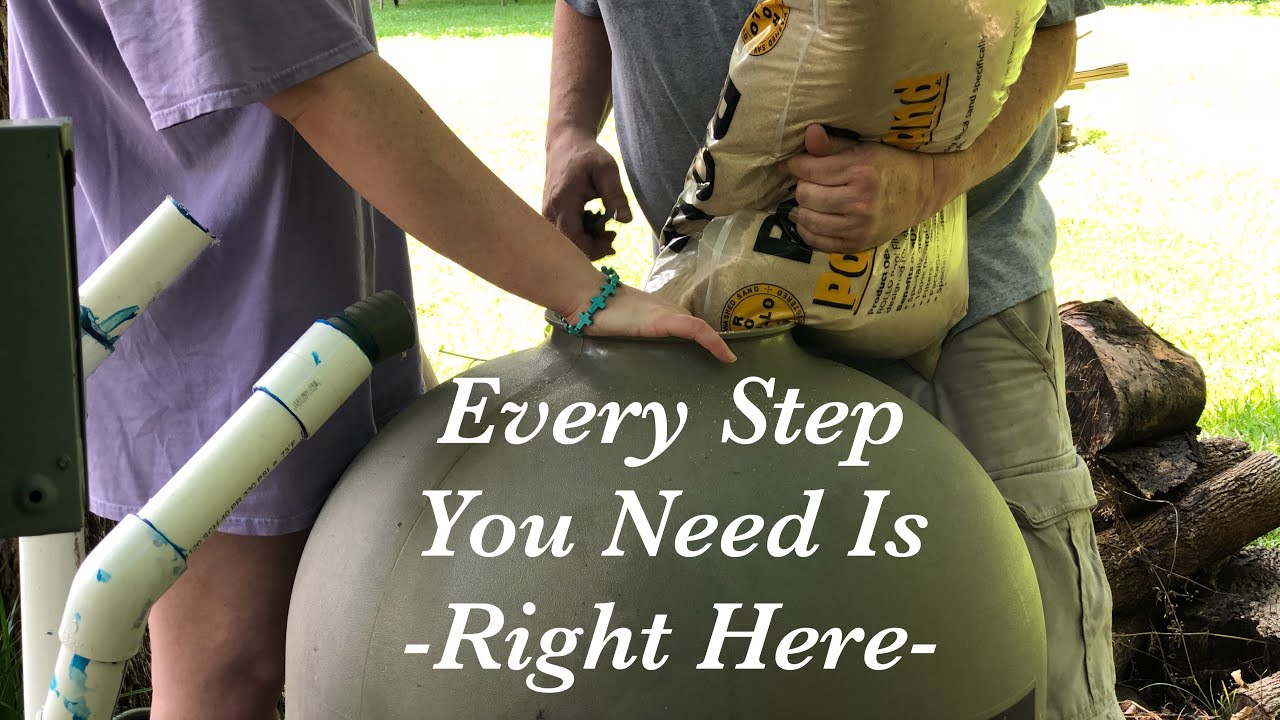
Image taken from the YouTube channel Vans World , from the video titled Simple – How To Change The Sand In A Pool Sand Filter II Vans World .
While routine skimming and chemical balancing are the daily heroes of pool care, there’s a vital, less frequent task that acts as a total system reset for your water’s clarity.
Unlock Peak Performance: Your Express Guide to Hayward Filter Rejuvenation
Your Hayward pool filter is the unsung hero of your backyard oasis, tirelessly working to trap dirt, debris, and contaminants. But the magic ingredient inside—the filter sand—doesn’t last forever. Think of it like the oil filter in your car; for your system to run efficiently, the filter media needs to be replaced periodically. This guide is designed to transform what might seem like a daunting chore into a simple, confidence-boosting DIY project you can complete in under an hour.
Why Fresh Sand is Non-Negotiable
Over time, the sharp edges of the sand grains in your filter wear down and become smooth, a process known as ‘channeling’. Water begins to carve paths of least resistance through the sand, bypassing the filtration process altogether. This leads to several problems:
- Cloudy Water: The most obvious sign. Your filter can no longer trap fine particles, leaving your pool looking dull and uninviting.
- Increased Chemical Use: When the filter isn’t removing contaminants, you’ll find yourself using more chlorine and other chemicals to fight off algae and bacteria, costing you time and money.
- System Strain: Clogged, inefficient sand increases the pressure within your system, forcing your pool pump to work harder. This not only inflates your energy bills but can also shorten the lifespan of your expensive equipment.
Regularly replacing your Hayward’s filter sand is the single most effective way to restore its performance, ensuring sparkling clear water and protecting your entire pool system.
Your 60-Minute Mission Briefing
We’ve broken down this essential task into a clear, manageable roadmap. By following these steps, you’ll avoid common pitfalls and ensure a smooth, successful sand replacement. This guide will walk you through:
- Preparation: Gathering the necessary tools and the correct type and amount of filter sand.
- Safe Disassembly: Powering down the system and carefully opening the filter tank.
- Efficient Sand Removal: The quickest and cleanest methods to get the old, heavy sand out.
- Proper Sand Installation: How to protect your filter’s internal components while adding the new sand.
- Reassembly & Checks: Putting everything back together correctly and performing a post-replacement backwash to start fresh.
Throughout this process, our primary focus will be on safety—for both you and your pool equipment. With the right preparation, changing the sand in your Hayward filter is a straightforward task that will pay you back with a full season of pristine water.
With a clear understanding of the ‘why’ and ‘what,’ the first step toward that crystal-clear water is gathering the right supplies for the job.
To make that "under-an-hour" promise a reality, a little bit of prep work goes a long way in ensuring the job is done right the first time.
The Pre-Battle Briefing: Arming Yourself for a Flawless Sand Change
Before you ever touch a wrench or open the filter tank, the most critical phase of the operation begins: preparation. Gathering the right gear and selecting the perfect filter media is the difference between a frustrating afternoon and a quick, satisfying victory. This guide will walk you through everything you need to have on hand before you start.
Prioritizing Pool Filter Safety: The Non-Negotiable First Step
Working with pool equipment involves both water and electricity, a combination that demands respect and caution. Before proceeding, you must ensure the entire system is de-energized.
- Disconnect All Power: Go to your home’s circuit breaker box and switch off the breaker that controls your pool pump. If you have a separate switch or timer box near the equipment, turn that off as well.
- Prevent Accidental Startup: For an extra layer of safety, you can place a piece of tape over the breaker switch with a note like "Pool Work in Progress" to prevent someone from accidentally turning it back on.
- Personal Protective Equipment (PPE): Always wear safety goggles to protect your eyes from sand particles and gloves to keep your hands clean and protected.
Your Sand-Changing Toolkit: A Comprehensive Checklist
Having all your tools within arm’s reach will prevent you from having to stop midway through the job. Here’s what you’ll need to assemble:
- Wet/Dry Vacuum: This is the MVP of the operation, making the removal of old, heavy, wet sand significantly easier and faster than scooping by hand.
- Large Bucket: Essential for carrying the old sand away from your pool area for disposal.
- Small Scoop or Cup: Helps get the last bits of sand out from the bottom of the tank that the vacuum might miss.
- Garden Hose with Nozzle: Needed for rinsing the tank and other components thoroughly.
- Screwdriver or Wrench Set: To remove the filter’s multiport valve clamp. The tool needed will depend on your specific Hayward model.
- Plumber’s Tape (Teflon Tape): For re-sealing any threaded fittings, like the drain plug, to ensure a watertight seal.
- Utility Knife: For easily opening the bags of new filter sand.
- Duct Tape: Useful for temporarily covering the top of the standpipe inside the filter to prevent sand from getting in.
- Safety Goggles & Gloves: As mentioned above, these are essential for your protection.
Guidance on Optimal Filter Sand Selection
The "sand" in a sand filter isn’t just any sand from the beach. It’s a specific type of media designed to trap dirt and debris. While #20 silica sand is the traditional choice for Hayward filters, modern alternatives offer enhanced performance.
Comparing Your Filter Media Options
| Media Type | Pros | Cons | Best for Hayward Filters |
|---|---|---|---|
| #20 Silica Sand | – Highly effective and industry standard – Most affordable option – Widely available |
– Shorter lifespan (3-5 years) – Can "channel," where water creates paths through the sand, reducing effectiveness |
Excellent. This is the standard, manufacturer-recommended media for all Hayward sand filters and provides great performance for its cost. |
| Glass Media | – Filters smaller particles (down to 5 microns) – Longer lifespan (up to 10 years) – Less prone to clumping and channeling – Often made from 100% recycled glass |
– Higher initial cost – Can be sharper to handle (wear gloves!) |
Premium Upgrade. Fully compatible and offers superior filtration and longevity, making it a worthwhile investment for many pool owners. |
For most Hayward pool owners, standard #20 silica sand is a reliable and cost-effective choice that gets the job done perfectly. However, if you are looking for superior water clarity and a longer-lasting solution, upgrading to glass media is an excellent decision.
Estimating the Correct Amount of New Sand
Using the wrong amount of sand can severely impact your filter’s performance. Too little, and filtration will be poor; too much, and you risk damaging the filter’s internal components or sending sand back into your pool.
The exact amount of sand required is determined by your specific Hayward Pool Filter Tank model. You can find this information in a few places:
- On the Filter Tank Label: Most Hayward filters have a large label on the side of the tank that specifies the model number and the required amount of sand in pounds (lbs).
- In Your Owner’s Manual: The technical specifications section will list the sand requirement.
- On the Hayward Website: Look up your model number for detailed specifications.
For a quick reference, here are some common Hayward ProSeries models and their sand requirements:
- S180T: 150 lbs
- S220T: 250 lbs
- S244T: 300 lbs
- S270T: 350 lbs
Always buy the exact amount specified for your model. Sand is typically sold in 50 lb bags.
With your safety precautions in place, tools gathered, and the correct new sand at the ready, you are now prepared to begin the hands-on work of draining and disassembling the filter.
With your essential tools and the right filter sand now on hand, it’s time to transition from preparation to the initial, crucial steps of safely deactivating and draining your Hayward pool filter.
Power Down, Water Out: Preparing Your Filter for a Fresh Start
Before any hands-on work begins, ensuring the absolute safety of yourself and your equipment is paramount. This initial phase involves systematically shutting down and draining your filter, making it ready for the deeper maintenance to come.
Prioritizing Safety: Powering Down Your System
The very first action you must take is to completely de-energize your pool pump. Working on a live system presents serious risks, including electrical shock and unexpected water flow.
- Verify the Pool Pump is Off: Begin by switching off your pool pump at its dedicated on/off switch.
- Disconnect Electrical Power: This is the most critical safety step. Go to your main electrical panel and locate the circuit breaker that controls your pool pump. Flip it to the "OFF" position. If there’s a dedicated disconnect switch near the pump, turn that off as well.
- Double-Check: Consider using a voltage tester to confirm that no power is flowing to the pump’s motor before proceeding. Your safety is non-negotiable.
Halting the Flow: Setting the Multiport Valve
Once the power is off, the next step is to prevent any water from entering or exiting the filter tank as you begin the disassembly process.
- Locate the Multiport Valve: This is the large valve typically mounted on top or to the side of your filter tank, with multiple port settings.
- Set to ‘Winterize’ or ‘Closed’: Most multiport valves have a ‘Closed’ or ‘Winterize’ setting. Depress the handle, rotate it carefully until it clicks into either the ‘Winterize’ or ‘Closed’ position. This will seal off all ports, preventing water flow and protecting the internal components of the valve and pump from backflow.
The Great Drain: Emptying the Filter Tank
With the power off and water flow halted, it’s time to completely drain the filter tank itself. This will remove the bulk of the water, making the filter lighter and safer to work with.
- Locate the Filter Drain Plug: On your Hayward pool filter tank, you’ll find a drain plug, typically at the very bottom.
- Open the Drain Plug: Carefully unscrew and remove the filter drain plug.
- Allow Complete Drainage: Let all the water drain from the tank. This may take several minutes depending on the filter size. If the draining water creates an inconvenience, you can often attach a standard garden hose to the drain port to direct the water to a suitable drainage area.
Uncoupling the Lines: Detaching Plumbing from the Multiport Valve
With the tank drained, you can now begin to disconnect the plumbing lines that connect to your multiport valve.
- Identify Plumbing Connections: These are usually PVC pipes or flexible hoses connected to the ‘Pump’, ‘Return’, and ‘Waste’ ports of the multiport valve.
- Carefully Disconnect: Depending on your setup, these connections might be secured with union nuts, hose clamps, or threaded fittings. Loosen and remove any clamps or unscrew the union nuts to separate the plumbing lines from the multiport valve. Be prepared for a small amount of residual water to drain from the lines.
Gentle Detachment: Removing the Multiport Valve
Now that the plumbing lines are free, the multiport valve can be safely removed from the top of the filter tank.
- Locate the Clamp or Bolts: The multiport valve is typically secured to the filter tank by a large clamp band or a series of bolts around its base.
- Loosen and Remove: Using the appropriate tools (usually a socket wrench for clamp bands or an Allen key for bolts), carefully loosen and remove the clamp or bolts.
- Lift Away: Once the clamp or bolts are completely removed, gently lift the multiport valve straight up and off the top of the filter tank. It might require a slight wiggle or gentle leverage if it’s been in place for a long time. Place it aside in a safe location.
Safeguarding the Standpipe: Preventing Sand Intrusion
As you remove the multiport valve, you’ll expose the central standpipe that extends up from the bottom of the filter tank. This is a critical component, and protecting it is an absolute must.
- Identify the Standpipe: This is the vertical pipe in the center of the filter tank.
- Crucial Step: Protect the Standpipe: The top of this standpipe leads directly to the laterals at the bottom of the filter. If sand or debris falls into this pipe, it can clog or damage the delicate laterals, leading to poor filtration performance and costly repairs. Immediately after removing the multiport valve, cap the standpipe with a spare cap, a clean plastic bag secured with a rubber band, or even duct tape. Ensure it’s completely sealed off to prevent any sand from entering.
With your filter safely disconnected and prepared, you’re now ready for the main event: scooping out the old sand and inspecting the critical filter laterals.
With your Hayward pool filter now safely disconnected and drained, it’s time to tackle the heart of the filtration system: the old, exhausted filter sand.
Excavating the Old: Clearing Out Your Filter’s Foundation and Safeguarding Its Core
Removing the old filter sand is often the most physically demanding part of your pool filter maintenance, but with the right approach and a keen eye, you can accomplish it efficiently and without damaging critical components. This stage is also your opportunity to thoroughly inspect the internal workings of your filter, ensuring everything is in top shape before you add new media.
The Art of Sand Eviction: Techniques for Clearing Your Tank
The primary goal here is to remove all the old sand, which can be surprisingly heavy and compacted. You have a couple of effective methods at your disposal, each with its own advantages.
The Wet/Dry Vacuum Method
This is often the quickest and cleanest way to remove pool filter sand.
- Preparation: Ensure your wet/dry vacuum is empty and has a clean filter. If possible, use a narrow nozzle attachment to get into tight spaces.
- Technique: Carefully insert the vacuum hose into the filter tank, aiming it at the sand. Work your way around the tank, slowly sucking up the sand. The vacuum will also pick up any water still present, making the process more efficient.
- Efficiency Tip: As you remove sand, you’ll notice the water level (if any remains) dropping, exposing more sand. Keep working in layers, being mindful of the lower components.
The Scoop Method
If a wet/dry vacuum isn’t available or if the sand is extremely dense, manual scooping is the way to go, albeit more labor-intensive.
- Tools: Use a sturdy, narrow scoop or a small garden trowel. A plastic container cut in half can also make an effective scoop.
- Technique: Gently scoop out the sand, placing it into durable buckets or bags for disposal. Be especially careful as you get closer to the bottom of the tank.
- Handling Wet, Compacted Sand: Old filter sand often becomes heavily compacted and saturated with water and debris, making it incredibly heavy and challenging to break apart.
- Break It Up: Use your scoop or a sturdy, blunt object to gently break up large chunks of compacted sand. Avoid sharp jabs that could damage the tank or laterals.
- Strategic Watering: If the sand is exceptionally dry and dusty (less common for pool filters), a very small amount of water from a garden hose can help make it easier to scoop, but be careful not to create a soupy mess. For typically wet sand, this isn’t necessary.
- Patience is Key: Don’t rush. Take your time, working in manageable sections.
Protecting the Lifeline: Safeguarding Your Filter Laterals
As you remove the sand, you’ll eventually expose the filter laterals – a delicate, spider-like assembly at the bottom of the tank. These small, slotted tubes are crucial for effective filtration, allowing water to pass through while keeping sand contained. Damage to even one lateral can compromise your filter’s performance, leading to sand returning to your pool.
Continuous Vigilance During Removal
- Mind Your Tools: As the sand level drops, be extremely cautious with your vacuum hose or scoop. Avoid hitting, bending, or scraping the laterals.
- Visual Check: Continuously look into the tank as you remove sand to anticipate when the laterals will become fully exposed. This allows you to switch to a gentler approach as needed.
- Handle with Care: If you need to temporarily move a lateral arm for better access, do so very gently, using minimal force.
A Critical Check-Up: Inspecting Your Filter Laterals
Once all the old sand is removed and the laterals are fully exposed, it’s time for a thorough inspection. This is a critical step that should not be overlooked.
What to Look For
Examine each lateral arm and the central standpipe closely for:
- Cracks or Breaks: Even small fissures can allow sand to bypass the filtration system.
- Bends or Distortions: Laterals should be straight and evenly spaced. Bends can affect water flow and sand retention.
- Wear and Tear: Look for any signs of erosion or thinning of the plastic, especially near the slots.
- Discoloration or Clogging: While some staining is normal, excessive build-up within the slots might indicate a cleaning issue.
When to Replace
If you find any significant damage – a crack, a break, or a severely bent arm – it’s crucial to replace the entire lateral assembly. Repairing individual laterals is rarely effective or long-lasting. Replacing them now, while the tank is empty, is much easier than discovering a problem after you’ve refilled it with new sand. Most lateral assemblies are relatively inexpensive and easy to install.
The Final Cleanse: Ridding the Tank of Debris
After removing all the sand and inspecting the laterals, you’ll likely find a layer of fine silt, dirt, and possibly some organic sludge at the very bottom of the filter tank. This is an accumulation of everything your filter has caught over the years.
- Rinse It Out: Use a garden hose to thoroughly rinse down the inside walls of the filter tank, directing any remaining debris towards the bottom.
- Vacuum the Sludge: Use your wet/dry vacuum to suck up this final layer of sludge and dirty water, ensuring the tank is completely clean and empty. A pristine foundation is essential for optimal performance of your new filter sand.
With the tank now sparkling clean and your laterals thoroughly inspected and replaced if necessary, you’re ready to prepare for the addition of your fresh filter media.
With the old sand removed and your laterals thoroughly inspected, you’re now ready to give your filter a complete overhaul, ensuring it’s ready for peak performance.
The Revival: Installing Fresh Sand and Sealing Your Hayward Filter’s Core
Bringing your Hayward pool filter back to life is a rewarding process, and the careful installation of new filter sand is crucial for its long-term efficiency. This stage involves not only adding the new media but also meticulously reassembling the system to ensure a watertight and fully functional filtration unit.
Prepping the Tank for its New Load
Before you introduce the new sand, it’s essential to protect the delicate filter laterals that lie at the bottom of the tank. These intricate finger-like components are vital for even water distribution and sand retention, and they can be easily damaged by the force of new sand being poured directly on top.
To safeguard them, add a few inches of water to the bottom of the filter tank. This creates a protective cushion, allowing the incoming sand to settle gently without impacting the laterals. Aim for a depth that fully submerges the laterals, typically around 4-6 inches.
The Careful Pour: Adding Your New Filter Sand
With the laterals protected, it’s time to introduce the heart of your filtration system: the new pool filter sand. This step requires a steady hand and attention to detail to ensure proper function.
Protecting the Standpipe
The standpipe, the vertical pipe running up the center of the tank, is equally vulnerable during sand addition. It’s crucial for directing water flow, and any sand entering it will bypass the filter media, leading to ineffective filtration. You can protect it by placing a cap over its opening, or even by covering it with a plastic cup or a piece of plumber’s tape. Some prefer to insert a small bucket or a temporary funnel over the standpipe to create a barrier, making the pouring process easier and safer.
Filling the Tank Correctly
Carefully pour the new, clean pool filter sand into the Hayward filter tank. Work slowly and steadily, using a scoop or a shovel. As you pour, continuously ensure that the standpipe remains perfectly centered in the tank and that your chosen protective cover stays in place. Distribute the sand evenly around the standpipe, allowing it to settle naturally.
Continue adding sand until the tank is filled to the appropriate level. This is typically indicated by a fill line on the filter label or molded into the tank itself. If no specific mark is present, a general guideline is to fill the tank to about 6-8 inches from the very top rim. This leaves adequate space for water flow and proper backwashing.
Reconnecting the Brain: Reattaching the Multiport Valve
Once the sand is in place, the next critical step is reattaching the multiport valve. This component controls the direction of water flow through your filter, making a proper seal absolutely essential.
Carefully position the multiport valve onto the top of the filter tank, aligning it with the standpipe. Ensure the main O-ring (or gasket) between the valve and the tank is clean, properly seated, and either new or well-lubricated with a silicone-based lubricant. This O-ring is vital for creating a watertight seal. Once aligned, securely fasten the clamp that holds the multiport valve to the filter tank. Tighten it evenly, following the manufacturer’s instructions, usually alternating tightening bolts if there are multiple, to ensure even pressure around the seal.
The Final Connections: Hooking Up Your Plumbing
With the multiport valve secured, the final task is to reconnect all the plumbing lines. This involves the pipes leading to and from your pool pump, as well as the waste line.
Carefully reattach all plumbing lines to their respective ports on the multiport valve. For any threaded connections, apply plumber’s tape (PTFE tape) in a clockwise direction around the male threads. This tape acts as a sealant, preventing leaks and ensuring a watertight connection. Tighten all connections firmly but avoid over-tightening, which can strip threads or crack fittings. Double-check that all valves are in their correct positions for normal operation (e.g., return lines open, waste line closed).
With your filter tank brimming with fresh sand and all components securely reattached, your Hayward filter is almost ready for action. The final step involves a crucial initial system check, starting with the all-important backwash.
With your Hayward pool filter freshly filled with new sand and meticulously reassembled, the crucial next step is to bring your system online, ensuring every grain is settled and the water flows freely.
The Maiden Voyage: Priming and Purifying Your Hayward Filter After a Sand Change
After the reassembly, your pool system needs to be carefully brought back to life. This involves a critical sequence of priming the pump, performing an initial backwash to cleanse the new filter sand, and then setting up for normal operation. These steps are vital for ensuring your pool’s filtration system functions efficiently from day one and removes any fine particulates from the new sand before they enter your pool.
Priming Your Pool Pump for Smooth Flow
Before you can backwash or filter, your pool pump needs to be properly primed to ensure it can draw water from the pool and push it through the filter. Air in the system can prevent the pump from working correctly, so clearing it out is essential.
Here’s how to prime your pool pump:
- Open All Valves: Ensure all return and skimmer/main drain valves leading to the pump are fully open. This allows water to flow freely into the pump.
- Fill the Pump Basket: Remove the pump lid and fill the pump basket with water using a garden hose until it’s overflowing. This helps to create an initial prime and pushes air out of the pump housing. Replace the lid securely, ensuring the O-ring is in place and lubricated to prevent air leaks.
- Set the Multiport Valve: Before starting the pump, ensure your multiport valve is set to the ‘Waste’ or ‘Backwash’ position (we’ll cover backwashing next, but setting to ‘Waste’ for priming means any initial air/debris goes out, not into the filter).
- Turn On the Pump Briefly: Turn on your pool pump for about 10-30 seconds. Listen for the sound of water rushing through the pump. If you see a steady stream of water entering the pump basket and exiting through the waste line, the pump is priming. If not, turn it off, wait a minute, and repeat the filling process. You may need to repeat this a few times until a steady flow is established.
- Check for Suction: Once the pump is running, you should feel suction at your skimmer and return lines. This indicates that water is now circulating properly.
The Crucial Initial Backwash: Rinsing Out the New Sand
With your pump successfully primed, the next critical step is to perform the initial backwash. New filter sand contains very fine particles, often referred to as ‘dust’ or ‘mud’, that need to be flushed out of the filter tank before your pool water circulates through it. This process prevents cloudy water and ensures your filter operates at peak efficiency.
To perform the initial backwash:
- Set the Multiport Valve to ‘Backwash’: With the pool pump off, firmly push down on the handle of your Hayward multiport valve and rotate it to the ‘Backwash’ position. Release the handle.
- Ensure Waste Line is Open: Confirm that your backwash hose or waste line is properly connected and directed to an appropriate drainage area, away from your pool.
- Start the Pool Pump: Turn on your pool pump. You will immediately see water flowing out of the waste line.
- Monitor the Sight Glass: Your Hayward filter’s multiport valve has a small clear ‘sight glass’. Observe the water flowing through this glass. Initially, the water will likely appear cloudy, murky, or even brown – this is the fine sand particles and debris ("mudding") being flushed out.
- Continue Backwashing Until Clear: Continue the backwash process, monitoring the sight glass, until the water running through it becomes completely clear. This can take anywhere from 2 to 5 minutes, sometimes longer depending on the sand quality and amount. Do not rush this step; it’s vital for a clean start.
Rinsing and Returning to Normal Operation
After the initial backwash, there’s one more interim step before setting your filter for normal operation: the rinse cycle. This compacts the sand bed and flushes out any remaining loose dirt from the backwash process, preventing it from going back into your pool.
- Turn Off the Pool Pump: Once the backwash water runs clear, turn off your pool pump before moving the multiport valve handle.
- Set the Multiport Valve to ‘Rinse’: Push down and rotate the handle to the ‘Rinse’ position.
- Start the Pool Pump: Turn the pump back on and allow it to run for about 30-60 seconds, or until the water in the sight glass runs clear again. This step helps to settle the sand bed and remove any residual debris in the valve.
- Turn Off the Pool Pump: Again, turn off the pump before moving the multiport valve.
- Set the Multiport Valve to ‘Filter’: Push down and rotate the handle to the ‘Filter’ position. This is the normal operating mode for filtering your pool water.
- Start the Pool Pump for Normal Operation: Turn your pool pump back on. Your Hayward filter is now ready to begin cleaning your pool water.
The Final Check: Leak Detection
As your system begins its normal operation, a thorough check for leaks is paramount. Even minor leaks can lead to significant water loss, inefficient operation, and potential damage over time.
- Examine All Connections: Carefully inspect all plumbing connections around the multiport valve, the pump, the filter tank, and any other pipes you may have disconnected or tightened during the reassembly.
- Look for Drips or Puddles: Visually check for any dripping water, signs of moisture, or small puddles forming around seals and joints. Pay close attention to the unions, clamp band, and the waste line connection.
- Listen for Hissing: A subtle hissing sound could indicate an air leak in the suction side of your pump, which can hinder priming and reduce filtration efficiency.
- Tighten as Needed: If you discover a minor leak, try gently tightening the connection. For persistent leaks, you may need to turn off the pump, relieve pressure, and re-check O-rings or thread sealant.
By meticulously following these steps, you’ve successfully initiated your Hayward pool filter with its new sand, setting the stage for clear, clean pool water. However, even with diligent care, some common pitfalls can arise during this process.
Having successfully navigated the initial filter backwashing and system check for your Hayward filter, you might now be considering a more comprehensive refresh: replacing the filter sand. This crucial maintenance step, while manageable for the DIY enthusiast, comes with its own set of potential pitfalls. Understanding these common errors and how to avoid them is key to ensuring your hard work translates into sparkling clear water.
Beyond the Basics: Mastering Flawless Sand Replacement for Your Hayward Filter
Replacing the sand in your Hayward pool filter is a significant step towards maintaining pristine water quality. However, even the most diligent DIYer can encounter common mistakes that compromise the filter’s performance. By recognizing these potential missteps, you can ensure a smooth process and optimal results.
Common Pitfalls During Sand Replacement
Successfully swapping out your filter sand requires attention to detail. Overlooking critical steps can lead to frustrating issues down the line.
The Lateral Protection Imperative
One of the most frequent and impactful mistakes is failing to protect the delicate laterals at the bottom of the filter tank. These small, slotted pipes are vital for collecting filtered water and distributing backwash water evenly. If sand is dumped directly into the tank without protecting them, the force can break or dislodge them. Broken laterals allow sand to escape into the pool, rendering your filter ineffective and creating a mess.
- Prevention: Always cover the laterals with a plastic bag, duct tape, or a specialized lateral protector during sand removal and installation. Filling the tank partially with water before adding sand also cushions the impact.
The Goldilocks Zone: Getting Sand Levels Just Right
The amount of sand in your filter tank is not arbitrary; it’s designed to be ‘just right.’
-
Overfilling: Adding too much sand reduces the freeboard – the space between the top of the sand bed and the top of the filter tank. This restricts the backwashing process, preventing the sand from fluidizing properly and cleaning itself effectively. It can also lead to sand pushing up into the internal air relief tube or even out into the pool during backwash.
-
Underfilling: Conversely, too little sand reduces the filtration capacity. Water may channel through the sand bed without being properly filtered, leading to persistent cloudy water.
-
Prevention: Always consult your Hayward filter’s manual for the precise amount of sand (typically measured by weight) and the recommended sand level. Most tanks have an internal "fill line" indicator.
The Right Grain for the Game: Sand Selection Matters
Not all sand is created equal when it comes to pool filtration. Using the incorrect type of filter sand can severely hinder your filter’s ability to clean your pool water.
-
Incorrect Sand Selection: Standard play sand or masonry sand, for example, is too fine or too coarse, or contains impurities that can clump, channel, or pass through the laterals. This leads to cloudy water, poor filtration, and potentially damaged filter components.
-
Correct Sand: Hayward filters are designed to work with #20 silica sand, which has a specific size (0.45mm to 0.55mm) and angularity optimized for trapping particles. Alternative media like ZeoSand or glass filter media also have specific requirements and should only be used if specified as compatible by Hayward.
-
Prevention: Always purchase high-quality #20 silica filter sand specifically designed for pool filters from a reputable supplier. If considering alternative media, verify compatibility with your specific Hayward model.
Don’t Skip the Rinse: Initial Backwashing Neglect
After replacing the sand, it’s crucial to perform a thorough initial backwash before switching to the "Filter" setting. New filter sand often contains fine dust and impurities from the manufacturing and packaging process.
-
Neglecting Initial Backwashing: Skipping this step or performing an insufficient backwash will release these fine particles directly into your pool, resulting in persistent cloudy water that can be frustrating to clear.
-
Prevention: Follow the initial backwashing procedure outlined in your filter’s manual. Typically, this involves backwashing for several minutes until the sight glass runs clear, followed by a brief rinse cycle, and then another backwash if needed.
To help you visualize these common blunders and their solutions, here’s a quick reference table:
| Common Mistake During Sand Replacement | Potential Consequence | Prevention / Quick Fix |
|---|---|---|
| 1. Failing to Protect Laterals | Broken/dislodged laterals, sand in pool, ineffective filtration. | Cover laterals with a plastic bag, duct tape, or specialized protector. Partially fill tank with water before adding sand to cushion impact. If broken, laterals must be replaced. |
| 2. Overfilling/Underfilling Tank | Reduced backwash efficiency (overfill), sand loss (overfill), poor filtration/cloudy water (underfill). | Consult your Hayward filter manual for exact sand weight and fill line. Use a scale for accuracy. If overfilled, carefully scoop out excess. If underfilled, add more sand. |
| 3. Using Incorrect Filter Sand | Persistent cloudy water, poor filtration, channeling, potential damage to laterals. | Use only #20 silica pool filter sand (0.45-0.55mm) or Hayward-approved alternative media. Avoid play sand, masonry sand, or other non-specified types. If incorrect sand is used, it must be removed and replaced with the correct type. |
| 4. Neglecting Initial Backwashing | Cloudy water immediately after startup, fine particles released into the pool. | After sand replacement, perform a thorough backwash for 3-5 minutes (or until sight glass is clear), then a rinse for 30-60 seconds. Repeat backwash if water is still cloudy. This flushes out fines and sediment from the new sand. |
Troubleshooting Post-Replacement Hurdles
Even with careful execution, some issues can arise after a sand replacement. Knowing how to diagnose and address them quickly can save you time and frustration.
Cloudy Water Woes
If your pool water remains stubbornly cloudy after sand replacement, even after initial backwashing, several factors could be at play.
-
Potential Causes:
- Insufficient Initial Backwash: Not all fine particles were flushed out.
- Incorrect Sand Type: The sand is too fine or coarse to effectively filter particles.
- Damaged Laterals: Broken laterals allow unfiltered water or sand to pass through.
- Improper Sand Level: Too little sand allows water to bypass the filtration bed.
- Chemical Imbalance: Other water chemistry issues contributing to cloudiness.
-
Quick Fixes:
- Perform another thorough backwash and rinse cycle.
- Check for sand in the pool, which indicates potential lateral damage.
- Verify sand type and level.
- Test and balance your pool chemistry (pH, alkalinity, calcium hardness, sanitizer).
- Consider using a clarifier or flocculant to help clump fine particles for the filter or vacuuming to waste.
Reduced Water Flow Symptoms
A noticeable drop in water flow from your return jets after a sand change can be concerning.
-
Potential Causes:
- Overfilled Sand Tank: Too much sand reduces freeboard and restricts flow.
- Air in the System: Air trapped in the filter or pump can impede water flow.
- Clogged Skimmer/Pump Basket: Debris obstructing the intake.
- Pressure Gauge Issues: A faulty gauge might not accurately reflect pressure.
- Closed Valves: Partially closed valves on return or skimmer lines.
-
Quick Fixes:
- Check the filter’s pressure gauge. If it’s unusually high, backwash the filter. If it remains high, you may have too much sand.
- Bleed air from the filter using the air relief valve. Check for air leaks in the suction line.
- Inspect and empty skimmer and pump baskets.
- Ensure all valves are fully open.
Leakage Lamentations
Finding leaks around your filter after a sand replacement is a clear indicator that something isn’t sealed correctly.
-
Potential Causes:
- Improperly Seated O-ring/Gasket: The large tank O-ring or spider gasket in the multiport valve might be misaligned, pinched, or damaged.
- Loose Clamp Band: The clamp connecting the two halves of the filter tank or the multiport valve to the tank might not be tightened sufficiently.
- Cracked Components: Less common, but a component might have been cracked during handling or reassembly.
-
Quick Fixes:
- Turn off the pump and relieve pressure.
- Inspect the tank O-ring for any damage or improper seating. Clean and lubricate it with a silicone-based lubricant if necessary. Reassemble carefully.
- Check the clamp band. Ensure it’s correctly positioned and tightened according to the manufacturer’s instructions (often with a torque wrench).
- If the leak is from the multiport valve, check its spider gasket and all plumbing connections.
Sustaining Clarity: Ongoing Maintenance for Longevity
Replacing your filter sand is a significant maintenance task, but it’s just one part of keeping your Hayward filter – and your pool – in top shape. Emphasizing the ongoing importance of regular pool filter safety checks and scheduled maintenance is crucial to prolonging filter life and ensuring continued performance.
- Regular Safety Checks:
- Pressure Gauge Monitoring: Routinely check your filter’s pressure gauge. A rising pressure indicates it’s time to backwash.
- Visual Inspection: Periodically inspect the filter tank, multiport valve, and plumbing for any signs of wear, cracks, or leaks.
- Water Clarity: Always keep an eye on your pool’s water clarity. Any decline could signal a filter issue.
- Scheduled Maintenance:
- Backwashing: Perform backwashes as needed, usually when the pressure gauge reads 8-10 PSI above its clean operating pressure.
- Rinsing: Always follow a backwash with a rinse cycle to settle the sand bed.
- Deep Cleaning: Consider using a filter cleaner periodically to remove oils and scale buildup from the sand.
- Sand Replacement Schedule: While sand typically lasts 5-7 years, adjust this based on your pool’s usage and environmental factors.
By embracing these practices and staying vigilant, you’ll ensure your Hayward filter continues to perform optimally, setting the stage for you to enjoy your newly refreshed system and a season of crystal-clear waters.
Having successfully navigated the potential pitfalls and common mistakes in Hayward pool filter sand replacement, you’re now ready to reap the rewards of your diligence.
Your Sparkling Reward: Embracing the Clarity of a Fresh Hayward Filter
After learning to steer clear of the common mistakes and diligently replacing your filter sand, you’ve likely discovered that refreshing your Hayward pool filter isn’t the daunting task it might initially seem. In fact, it’s a surprisingly straightforward and incredibly rewarding aspect of DIY pool maintenance. This hands-on approach empowers you, turning what could be a chore into a fulfilling project that directly impacts the enjoyment of your backyard oasis.
The Ease and Reward of DIY Pool Filter Maintenance
Let’s quickly recap just how accessible and beneficial this process truly is. You’ve just performed a critical maintenance task that many pool owners outsource. By tackling it yourself, you’ve gained invaluable insight into your pool’s filtration system and proven that effective pool care doesn’t always require professional intervention. The simplicity of the steps, once understood, makes sand replacement a manageable task that yields immediate and visible results. It’s a testament to the power of DIY, showing that with a little guidance, anyone can achieve expert-level care for their Hayward pool filter.
Reaping the Benefits: Time, Money, and Unmatched Clarity
The advantages of taking charge of your Hayward pool filter’s sand replacement extend far beyond just clean water. This proactive maintenance strategy brings a trifecta of benefits:
- Saving Time: No more waiting on service appointments or adjusting your schedule to accommodate technicians. You perform the replacement on your own time, whenever it’s most convenient for you. This quick turnaround means less downtime for your pool and more immediate enjoyment.
- Saving Money: Professional filter sand replacement services can be costly. By handling it yourself, you eliminate labor fees and markups, saving a significant amount of money that can be reallocated to other pool enhancements or simply kept in your pocket.
- Achieving Superior Water Clarity: A properly functioning Hayward pool filter, loaded with fresh, effective pool filter sand, is the cornerstone of pristine water. Old, clumpy, or fouled sand loses its filtering efficiency, leading to cloudy water, increased chemical usage, and poor circulation. With new sand, your filter can capture even the finest particles, ensuring your pool water is not just clean, but truly sparkling and inviting.
Confidence for Consistent Care
Armed with this newfound knowledge and your recent success, you’re perfectly positioned to confidently integrate regular filter maintenance into your overall pool care routine. Think of sand replacement not as a one-off event, but as a periodic, essential step that ensures your pool always looks its best. Regular maintenance, including sand checks and timely replacements, prevents minor issues from escalating into major problems, ensuring consistent performance from your Hayward pool filter year-round. Embrace this confidence; you’ve proven you have what it takes to keep your pool in top condition.
The Ultimate Satisfaction: A Sparkling Clean Pool
Ultimately, the real prize isn’t just the satisfaction of a job well done, but the tangible joy of a sparkling clean pool that you’ve personally brought to life. Imagine gazing into water so clear, you can see every detail of the pool bottom. Picture children laughing, friends gathering, and quiet mornings spent by a truly pristine oasis—all thanks to the effective pool filter sand you’ve installed and the well-maintained Hayward pool filter you now oversee. This level of clarity enhances every aspect of your pool experience, making it a source of pride and relaxation.
Maintaining this pristine condition ensures your pool remains a source of endless enjoyment, preparing it for whatever comes next in your comprehensive pool care journey.
Frequently Asked Questions About Change Hayward Filter Sand in 1 Hour: Our Step-by-Step Guide
How often should I change pool filter sand in my Hayward filter?
It’s generally recommended to change pool filter sand in your Hayward filter every 3-5 years. However, this depends on usage and water quality. If you notice decreased filter performance, it might be time to change pool filter sand.
What type of sand is best for my Hayward pool filter?
Use a #20 silica filter sand specifically designed for pool filters. Avoid using play sand or other types of sand, as they can clog the filter and reduce its effectiveness. This type of sand is crucial when you change pool filter sand hayward.
Can I really change pool filter sand in my Hayward filter in just one hour?
While one hour is ambitious, it’s possible with the right tools and preparation. Our step-by-step guide provides tips to streamline the process. Preparation is key when considering how to change pool filter sand hayward quickly.
What are the signs that indicate I need to change pool filter sand?
Signs include cloudy water despite regular cleaning, increased filter pressure, and sand entering the pool. If you experience these issues, it’s likely time to change pool filter sand hayward and improve your filter’s performance.
And there you have it! From safety checks to that final backwash, you’ve just proven how straightforward and immensely rewarding DIY pool maintenance for Hayward Pool Filter sand replacement can be. You’ve not only saved valuable time and money but have also directly contributed to achieving superior water clarity and peak performance for your Hayward Pool Filter.
No longer a daunting task, this essential sand replacement is now firmly within your capabilities. We encourage you to confidently maintain your pool filter regularly, integrating it seamlessly into your overall pool care routine.
Stand back and admire your sparkling clean pool, a testament to your hands-on effort and a truly well-maintained Hayward Pool Filter. Enjoy the satisfaction – and the crystal-clear waters!
